> ## Documentation Index
> Fetch the complete documentation index at: https://docs.raycaster.ai/llms.txt
> Use this file to discover all available pages before exploring further.
# Bookmarks
> Quick access to your most important content
 ## Overview
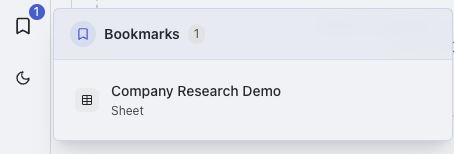
Bookmarks give you instant access to your most-used content. Save sheets, documents, folders, and searches for one-click access.
## Accessing Bookmarks
* **Sidebar**: Always-visible bookmarks panel
## Best Practices
1. **Use descriptive names** for easy identification
2. **Organize with folders** for project-based workflows
3. **Regular cleanup** to remove outdated bookmarks
4. **Tag consistently** for better searchability
## Overview
Bookmarks give you instant access to your most-used content. Save sheets, documents, folders, and searches for one-click access.
## Accessing Bookmarks
* **Sidebar**: Always-visible bookmarks panel
## Best Practices
1. **Use descriptive names** for easy identification
2. **Organize with folders** for project-based workflows
3. **Regular cleanup** to remove outdated bookmarks
4. **Tag consistently** for better searchability