> ## Documentation Index
> Fetch the complete documentation index at: https://docs.raycaster.ai/llms.txt
> Use this file to discover all available pages before exploring further.

# Raycaster Documentation

> Your AI-powered assistant for uncovering insights and streamlining workflows in life sciences and biotech

<div class="flex justify-center mb-8">
  <img src="https://mintcdn.com/raycaster/7UelhNhIiWBOCuCS/images/raycaster-logo.png?fit=max&auto=format&n=7UelhNhIiWBOCuCS&q=85&s=77564121596ecde2bce846bdba18002b" alt="Raycaster Logo" class="w-full rounded-lg" width="1536" height="1024" data-path="images/raycaster-logo.png" />
</div>

## Welcome to Raycaster

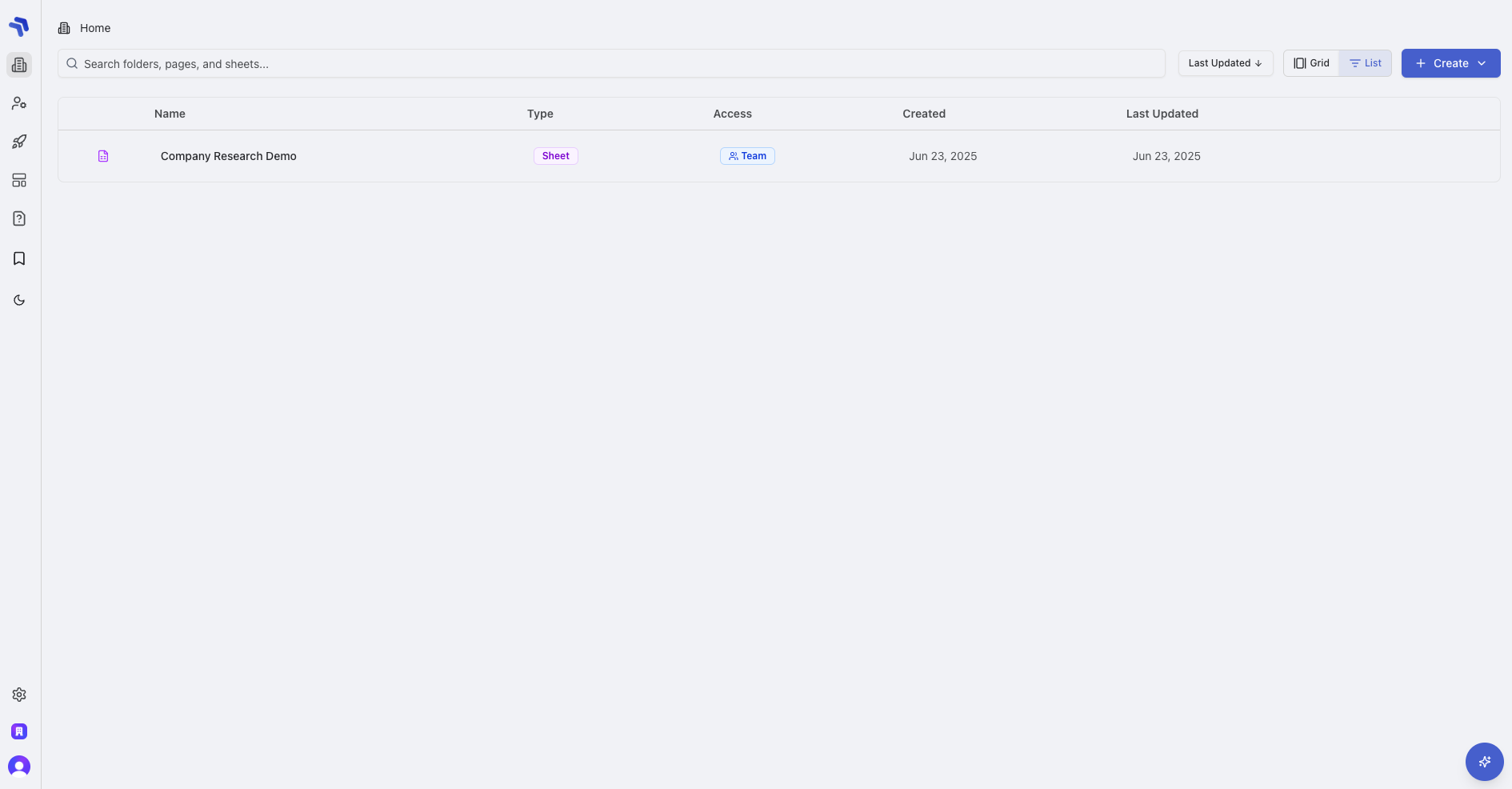
Raycaster is a powerful AI-powered platform designed specifically for life sciences and biotech organizations. It serves as your assistant for uncovering hidden insights about prospects and streamlining complex technical sales processes. With intuitive dashboards and research tools, you can manage target accounts, track key stakeholders, and make data-driven decisions that drive your sales forward.

<div class="flex justify-center w-full">
  <img class="w-full max-w-lg object-contain" src="https://mintcdn.com/raycaster/NkwkAu8IAZ9zTAYr/images/dashboard.png?fit=max&auto=format&n=NkwkAu8IAZ9zTAYr&q=85&s=e62737069a6acb3d7a3ec8a4393f8142" alt="Raycaster AI Workspace Dashboard" width="1890" height="986" data-path="images/dashboard.png" />
</div>

## What Can You Do with Raycaster?

<div class="my-10">
  <CardGroup cols={2}>
    <Card title="Research & Analyze" icon="lightbulb" color="#4F5DFF">
      Use AI-powered research to uncover key insights about companies and people with evidence-based citations and sources.
    </Card>

    <Card title="Organize & Customize" icon="table-cells" color="#4F5DFF">
      Structure information in customizable sheets and columns that match your exact workflow needs.
    </Card>

    <Card title="Generate Personalized Outreach" icon="envelope" color="#7B85FF">
      Craft tailored messages that resonate with prospects based on their background and interests.
    </Card>

    <Card title="Collaborate & Automate" icon="users" color="#7B85FF">
      Share insights across teams and automate repetitive research tasks with AI-powered workflows.
    </Card>
  </CardGroup>
</div>

## Core Platform Features

<CardGroup cols={2}>
  <Card title="Evidence-Based Research" icon="magnifying-glass-chart" href="/research/overview" color="#4F5DFF">
    Conduct comprehensive research with AI-powered tools that provide citations and sources
  </Card>

  <Card title="Data Organization" icon="table-cells" href="/content-management/sheets" color="#4F5DFF">
    Structure information in customizable sheets and columns for easy analysis
  </Card>

  <Card title="Collaborative Workspace" icon="users" color="#7B85FF">
    Share insights and research across teams with real-time collaboration
  </Card>

  <Card title="Workflow Automation" icon="robot" href="/research/research-types" color="#7B85FF">
    Automate repetitive research tasks with AI-powered workflows
  </Card>
</CardGroup>

## Common Use Cases

<Accordion title="Find & Enrich Similar Companies/People" icon="building-user">
  <div class="p-4 border-l-2 border-[#4F5DFF20] pl-6 my-2">
    <h4 class="text-base font-medium mb-2">Discover and Enhance Related Profiles</h4>
    <p class="mb-3">Use Raycaster's AI to identify similar companies or individuals based on your existing data, then automatically enrich their profiles with comprehensive information.</p>

    <div class="bg-[#4F5DFF08] p-3 rounded-md">
      <div class="font-medium text-sm mb-1">Example Workflow:</div>

      <ol class="list-decimal pl-5 text-sm space-y-2">
        <li>Start with a Company column containing your target companies</li>
        <li>Add an Action column configured for "Find Similar Companies"</li>
        <li>Use the results to create a new sheet with similar companies</li>
        <li>Add another Action column for "Company Enrichment"</li>
        <li>Generate detailed profiles with funding, technology, and market positioning data</li>
      </ol>
    </div>
  </div>
</Accordion>

<Accordion title="Run Multiple Research Operations & Generate Summary" icon="chart-mixed">
  <div class="p-4 border-l-2 border-[#4F5DFF20] pl-6 my-2">
    <h4 class="text-base font-medium mb-2">Comprehensive Research Synthesis</h4>
    <p class="mb-3">Execute multiple research operations across different data points, then generate an executive summary or numerical score that captures key insights.</p>

    <div class="bg-[#4F5DFF08] p-3 rounded-md">
      <div class="font-medium text-sm mb-1">Example Workflow:</div>

      <ol class="list-decimal pl-5 text-sm space-y-2">
        <li>Configure research operations across multiple columns (company data, publication history, market trends)</li>
        <li>Add an Action column for "Research Synthesis"</li>
        <li>Generate a comprehensive text summary that integrates findings</li>
        <li>Create a scoring system based on key metrics (research activity, market positioning, technology relevance)</li>
        <li>Use the final score for prioritization and decision-making</li>
      </ol>
    </div>
  </div>
</Accordion>

<Accordion title="Find People & Patents" icon="flask">
  <div class="p-4 border-l-2 border-[#4F5DFF20] pl-6 my-2">
    <h4 class="text-base font-medium mb-2">Scientific Contribution Analysis</h4>
    <p class="mb-3">Discover key researchers and their patent contributions in specific scientific domains to identify innovation leaders and potential partners.</p>

    <div class="bg-[#4F5DFF08] p-3 rounded-md">
      <div class="font-medium text-sm mb-1">Example Workflow:</div>

      <ol class="list-decimal pl-5 text-sm space-y-2">
        <li>Start with a Text column containing scientific areas of interest</li>
        <li>Add an Action column configured for "Find Key Researchers"</li>
        <li>Create a Person column to store identified research leaders</li>
        <li>Add another Action column for "Patent Discovery"</li>
        <li>Generate a comprehensive view of intellectual property landscape with researcher connections</li>
        <li>Use the findings for competitive analysis or partnership development</li>
      </ol>
    </div>
  </div>
</Accordion>

<Accordion title="Generate Personalized Outreach Content" icon="envelope-open-text">
  <div class="p-4 border-l-2 border-[#4F5DFF20] pl-6 my-2">
    <h4 class="text-base font-medium mb-2">AI-Powered Communication</h4>
    <p class="mb-3">Create highly personalized outreach messages that demonstrate deep understanding of a person's research interests, company focus, and technical challenges.</p>

    <div class="bg-[#4F5DFF08] p-3 rounded-md">
      <div class="font-medium text-sm mb-1">Example Workflow:</div>

      <ol class="list-decimal pl-5 text-sm space-y-2">
        <li>Utilize Person and Company columns for your target contacts</li>
        <li>Add an Action column configured for "Research Synthesis"</li>
        <li>Generate a comprehensive profile of the person's interests and activities</li>
        <li>Add another Action column for "Personalized Outreach"</li>
        <li>Create tailored email templates or LinkedIn messages that reference specific research areas</li>
        <li>Track engagement and refine your approach based on results</li>
      </ol>
    </div>
  </div>
</Accordion>

## Documentation Overview

Our documentation is organized to help you quickly find the information you need:

* **Overview**: Introduction to Raycaster and core concepts
* **Content Management**: Creating and managing sheets, rows, and columns
* **Column Types**: Different data types available for customizing your workspace
* **Research Capabilities**: Leveraging AI for insights and analysis
* **Workspace Basics**: Navigation and organization management
* **Dashboards**: Using the Company and People dashboards
* **Advanced Features**: Power user functionality and automation
* **Resources**: Best practices, troubleshooting, and FAQs

## Get Support

<div class="flex flex-col space-y-4 mb-6">
  <div class="p-6 rounded-lg border border-gray-200">
    <div class="flex">
      <div class="bg-[#4F5DFF]/5 p-3 rounded-lg mr-3">
        <svg xmlns="http://www.w3.org/2000/svg" width="20" height="20" fill="currentColor" viewBox="0 0 24 24" class="text-[#4F5DFF]">
          <path d="M20 4H4c-1.1 0-1.99.9-1.99 2L2 18c0 1.1.9 2 2 2h16c1.1 0 2-.9 2-2V6c0-1.1-.9-2-2-2zm0 14H4V8l8 5 8-5v10zm-8-7L4 6h16l-8 5z" />
        </svg>
      </div>

      <div>
        <h3 class="text-[17px] font-medium">Email Our Team</h3>
        <p class="text-gray-600 mt-1">Send an email to <a href="mailto:team@raycaster.ai" class="underline">[team@raycaster.ai](mailto:team@raycaster.ai)</a> for prompt assistance with any questions or issues.</p>
      </div>
    </div>
  </div>

  <div class="p-6 rounded-lg border border-gray-200">
    <div class="flex">
      <div class="bg-[#4F5DFF]/5 p-3 rounded-lg mr-3">
        <svg xmlns="http://www.w3.org/2000/svg" width="20" height="20" fill="currentColor" viewBox="0 0 24 24" class="text-[#4F5DFF]">
          <path d="M19 4h-1V2h-2v2H8V2H6v2H5c-1.11 0-1.99.9-1.99 2L3 20c0 1.1.89 2 2 2h14c1.1 0 2-.9 2-2V6c0-1.1-.9-2-2-2zm0 16H5V10h14v10zm0-12H5V6h14v2zm-7 5h5v5h-5v-5z" />
        </svg>
      </div>

      <div>
        <h3 class="text-[17px] font-medium">Book a Demo</h3>
        <p class="text-gray-600 mt-1">Schedule a personalized walkthrough with our team at <a href="https://cal.com/team/raycaster/meeting" class="underline">cal.com/team/raycaster/meeting</a> to see how Raycaster can transform your sales process.</p>
      </div>
    </div>
  </div>
</div>

Ready to get started? Explore the documentation sections above to learn about Raycaster's capabilities.
